naijafirmware Home of Android firmwares: QUALCOMM
Showing posts with label QUALCOMM. Show all posts

Sunday, 24 March 2019

Download Android 6.0.1 firmware for Nexus 6 smartphone

Download Android 6.0.1 firmware for Nexus 6 smartphone


This firmware is for Nexus 6 smartphone with Qualcomm Snapdragon 805 as CPU.

Nexus 6
Download Android 6.0.1 firmware for Nexus 6 smartphone from here, here or here.

Freeme OS Firmware details
Archive: Nexus 6 Flyme 6.7.11.3IR beta
OS: Flyme 6.7.11.3IR beta based on Android Marshmallow 6.0.1
Image file size: 732 MB
Platform: Qualcomm Snapdragon 805
Image: flyme_Nexus-6_ddfzl_6.7.11.3IR-beta
Build number: shamu-user 6.0.1 MOB31T builder.20171107180722_R test-keys

Changelog
Optimizing Flyme& underlying system framework.
Update Flyme voice assistant database.
Updated some system apps to latest version.
Synced source code for Flyme6 to latest.

Caution: Please do not update firmware unless you know what you are doing, you really want it or it is absolutely necessary. Firmware updates may occasionally have bad results, like bricking your device, temporarily or permanently. The firmware update process is done entirely at your own risk. Before attempting to update the firmware, back up your data.

Did this article help you? If so, please tell me in a comment what do you think about it.


Download Android 6.0.1 firmware for OnePlus 3 smartphone

Posted in Apr 30, 2018 in Firmwares, no comment

This firmware is for OnePlus 3 / 3T smartphone with Qualcomm Snapdragon 820 as CPU. You can buy it from Gearbest.com for a very good price.


Download Android 6.0.1 firmware for OnePlus 3 / 3T smartphone from here, here or here.

Freeme OS Firmware details
Archive: OnePlus 3 – 3T Flyme 6.7.10.9IR beta
OS: Flyme 6.7.10.9IR beta based on Android Marshmallow 6.0.1
Image file size: 943 MB
Platform: Qualcomm Snapdragon 820
Image: flyme_ONEPLUS-A3010_xs_6.7.10.9IR-beta
Build number: -user 6.0.1 MXB48T builder.20171013115456_R dev-keys


Changelog
power management settings open multiple-choice questions.
Updated some system apps to latest version.
Synced source code for Flyme6 to latest.
Caution: Please do not update firmware unless you know what you are doing, you really want it or it is absolutely necessary. Firmware updates may occasionally have bad results, like bricking your device, temporarily or permanently. The firmware update process is done entirely at your own risk. Before attempting to update the firmware, back up your data.

Did this article help you? If so, please tell me in a comment what do you think about it.

Download Android Nougat 7.1.1 firmware for ZTE Nubia Z17 Lite 4G Phablet


Download Android Nougat 7.1.1 firmware for ZTE Nubia Z17 Lite 4G Phablet


This firmware is for ZTE Nubia Z17 Lite 4G Phablet with Qualcomm Snapdragon 653 as CPU. You can buy Nubia Z17 Lite 4G Phablet from Gearbest.com for only $243.38 with free shipping world wide.

Nubia Z17 Lite
Download Android Nougat 7.1 firmware for Nubia Z17 Lite 4G Phablet from here, here or here. Download previous firmware from here.
Firmware details
Archive: NX591-update / ZTE Nubia Z17 Lite 5.5 Inch Smartphone Firmware Updated 20180831
Model: Nubia Z17 Lite 4G Phablet
Image file size: 2.08 GB
Platform: Qualcomm Snapdragon 653
Image: NX591-update.zip
Build number: nubia/NX591J/NX591J:7.1.1/NMF26F/eng.nubia.20180129.194858:user/release-keys
timestamp=1517226538
pre-device=NX591J

Caution: Please do not update firmware unless you know what you are doing, you really want it or it is absolutely necessary. Firmware updates may occasionally have bad results, like bricking your device, temporarily or permanently. The firmware update process is done entirely at your own risk. Before attempting to update the firmware, back up your data.

Did this article help you? If so, please tell me in a comment what do you think about it.

Xiaomi Pocophone F2, equipped with SD 855 and Android Q

Xiaomi Pocophone F2, equipped with SD 855 and Android Q

Posted in Mar 21, 2019 in Smartphones, no comment

Xiaomi Pocophone F1 (known as Poco F1 in India) was released in August last year, making it the cheapest Snapdragon 845 mobile phone ever (about $298). Now, the benchmark score of the new generation of Pocophone F2 appears on the Geekbench.

The benchmark score data of the new Pocophone F2 looks a little strange, with only 4 GB of memory on board, compared with 6 GB RAM for the previous generation of Phone F1. Secondly, although the motherboard of the machine is shown as “msmnile”, which means that it is equipped with the snapdragon 855 mobile platform. The running score shows that the single-core score of the phone is 1776. The multi-core score is 6097, and there is a big gap between the multi-core running score of the phone and the tens of thousands of other snapdragon 855 mobile phones.
The running score data also show that Pocophone F2 will carry the Android Q operating system, but when it is officially released, it may still be pre-installed with Android 9 Pie and updated later.
Some foreign media believe that this running score data may not correctly reflect the performance of the snapdragon 855. From these data, we can see that the Pocophone F2 may still be in the engineering testing stage, and we should be able to get more details about the new Pocophone phone in the future.


Did this article help you? If so, please tell me in a comment what do you think about it.

Wednesday, 21 June 2017

HOW TO FLASH LENOVO DEVICES WITH QUALCOMM BOOTLOADERS

HOW TO FLASH LENOVO ADROID DEVICES WITH INBIULT QUALCOMM BOOTLOADER

Most devices that comes with Qualcomm bootloader for flashing the system may require some information and experience as well as a good working software environment when the need arises it is necessary to perform a system upgrade of flashing of a  Qualcomm devices there are many tools to call upon to perform the task at various times depending on the devices whether for use of the local recovery or in the use of Qualcomm programmed flashing tools.


Steps To Take Before Flashing A Qualcomm Device.    

Know and note down the software type to be flashed, whether it’s in the form of (Qsb) or in other formats.

Noting down the extension and format of the raw file of the flash file is an advanced step towards taking the next step.

Next step Is to choose to correct operating system to be used; one of the most friendly operating systems for successful flashing of Qualcomm devices is the reputable Windows called (Windows XP ) through old as it may seem but it’s very friendly and very compatible environment to setup a ground for mobile device flashing. Window XP unique features  include installing devices drivers without flaws or conflicts. Install drivers without flaws or errors runs most programs under Admin right in its defaults settings hence easing the users the task of granting permissions to some useful programs without much work.

Flashing or Running Software – Firmware in The (MBN or Qsb) Format

Most firmware made for Qualcomm devices normally comes in (MBN)

Hence the Qualcomm flash tool is normally employed while applying such firmware on Qualcomm devices

Put the Qualcomm devices at hand to be upgraded in bootloader or download mode to enable good handshake of drivers with system, to be a little more professional there is a useful button combination to be pressed to launch the device at hand into the download mode so as to be easily detected by the flash tool.

Select the firmware then click the start button.


HOW TO FLASH QUALCOMM LG DEVICES, LG E400 OPTIMUS L3 UPGRADE GUIDE

HOW TO FLASH QUALCOMM LG DEVICES, LG E400 OPTIMUS L3 UPGRADE GUIDE


LG devices that comes normally with qualcomm CPU in the area of its flashing due to occurance of any software issue that may call for such action will require the use of compatible software made solely for the LG devices at hand while making sure the software version is properly taken note of this can be done only on a pc running on windows XP with the use LG flash tool called (KDZ Tool) which is the tool created by LG for solely the purpose of flashing or updating its device whether Qualcomm, Inferion, CDMA etc.


LG Qualcomm CPU flashing procedure:-

- Make sure to install the LG Android drivers making sure the pc detects the phone with a good hand shake and connection.

- Use a very use of a very healthy USB cable

- Be sure to assert whether the device to be flashed is original LG product

- Charge battery above 30%(percent)

- Do not connect or disconnect any other device from pc

- Close any program that may interfere with the progress of the process as it may lead to flaws in the      operating system of the windows which may put the device at the risk of witnessing a corrupt              bootLoader which is a very worst case scenario

- Boot device into download mode by pressing the adequate boot buttons like:- pressing volume(+)       and volume(-) button and also home button with power button while connecting the USB cable to       Launch the device manager to ensure there is good handshake between pc and connect device if not   reinstall drivers correctly.

- Select the KDZ file to be flashed on the LG device at hand

- Click on the start button then patiently wait for the KDZ tool to do the extraction of the software before the flashing proper will begin automatically provided it connect properly with the device

- A status bar will appear at the top of the tool showing the progress status and there will be need to wait for the processes to finish to avoid damaging the device


- Disconnect device from pc wait for first boot to complete

UPGRADING GUIDE FOR LENOVO A3900 QUALCOMM PROCESSOR SD CARD METHOD CPU DEVICE

GUIDE TO SUCCESFULLY UPDATING LENOVO A3900


Flashing of mobile Chinese devices is common these days as they are widely used throughout the day to day activities.

When it comes down to Lenovo as a brand name in the GSM technology scope, Lenovo is not an exception since these devices are electronics and as such are duely expected to develop issues or faults due to use and misuse as they are not high and mobile devices.

As we all know Lenovo devices are widely used across all platforms. In most of these occasions such as home use, office, personal etc.


Tips to Note when Upgrading or Flashing of Lenovo A3900

Always check and know the chipset built Into the devices that is to be precise [the CPU] the Lenovo A3900 comes with a Qualcomm processor, hence the flashing of faulty Lenovo A3900 will require the use of the appropriate tool created for the purpose, therefore the upgrade normally should be done using the qualcomm flash tool if the drivers and correct firmware that has no password lock is produced or at hand.

Upgrading Lenovo A3900

- Guide By Recovery Method


Power off the device by pressing the power buttons for 2 to 3 seconds to switch it off, wait for some seconds for the Android system to fully power down.

Prepare an “SD Card” card preferable a (sandisk) memory card of about 4gb or 8gb preferably, then copy the android firmware into the root of the sd card the firmware should be in zip format. Insert the memory into the memory slot of the device then insert the battery.

Boot the device into Recovery then select the option (apply zip from zip from SD card)

Select yes for the process to begin in full.

After the process finishes installing the ROM then clear cache partition and wipe Factory Reset.

Power on the Android devices and wait for the first boot.

Repairing IMEI on Lenovo A3900 After Flash or Upgrade

As it is normal for most devices to have network related issues after a software change the Lenovo android A3900 do displays network related issues like (invalid IMEI) after the process hence if such happen solution is as follows:-

a. Power off device and do a factory reset


b. Navigate to the settings and erase the device by doing a factory reset of the device.


                       Lenovo_A3900_4.4.3_20160914 trusted rom 

 Lenovo_A3900_4.4.3_20160914.rar 

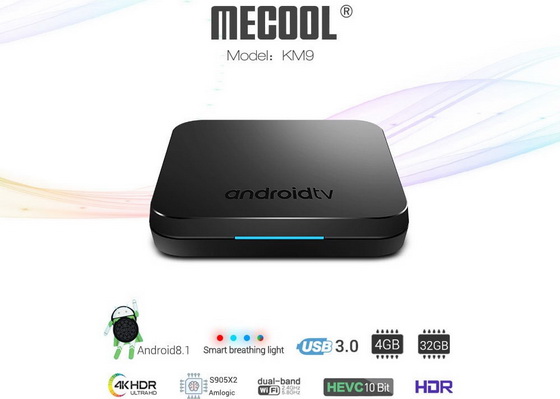
Download Android Pie 9.0 firmware for MECOOL KM9 TV Box

Download Android Pie 9.0 firmware for MECOOL KM9 TV Box Posted in Mar 3, 2019 in Firmwares , 1 comment This firmware is for MECOOL K...